Last updated: July 2026 | By the aicreatorpicks.com team
All picks at a glance
| # | Product | Category | Price | |
|---|---|---|---|---|
| 1 | INNOCN 24" MonitorTOP PICK INNOCN | Monitor | $149-$199 | View → |
| 2 | Ironstone Standing Desk#2 Ironstone | Desk | $149-$249 | View → The IRONSTONE standing desk has been discontinued, so this link now goes to a current electric sit-stand desk instead. |
| 3 | Hbada Ergonomic Chair Hbada | Office Chair | $129-$189 | View → |
| 4 | Elgato Key Light Mini Elgato | Lighting | $99-$119 | View → The Elgato Key Light Mini has been discontinued, so this link now goes to Elgato Key Light instead. |
| 5 | Logitech C920 Logitech | Webcam | $49-$79 | View → |
| 6 | Blue Snowball iCE Blue | Microphone | $49-$69 | View → |
Prices verified hands-on. Updated regularly. Tap any product to check current Amazon price.
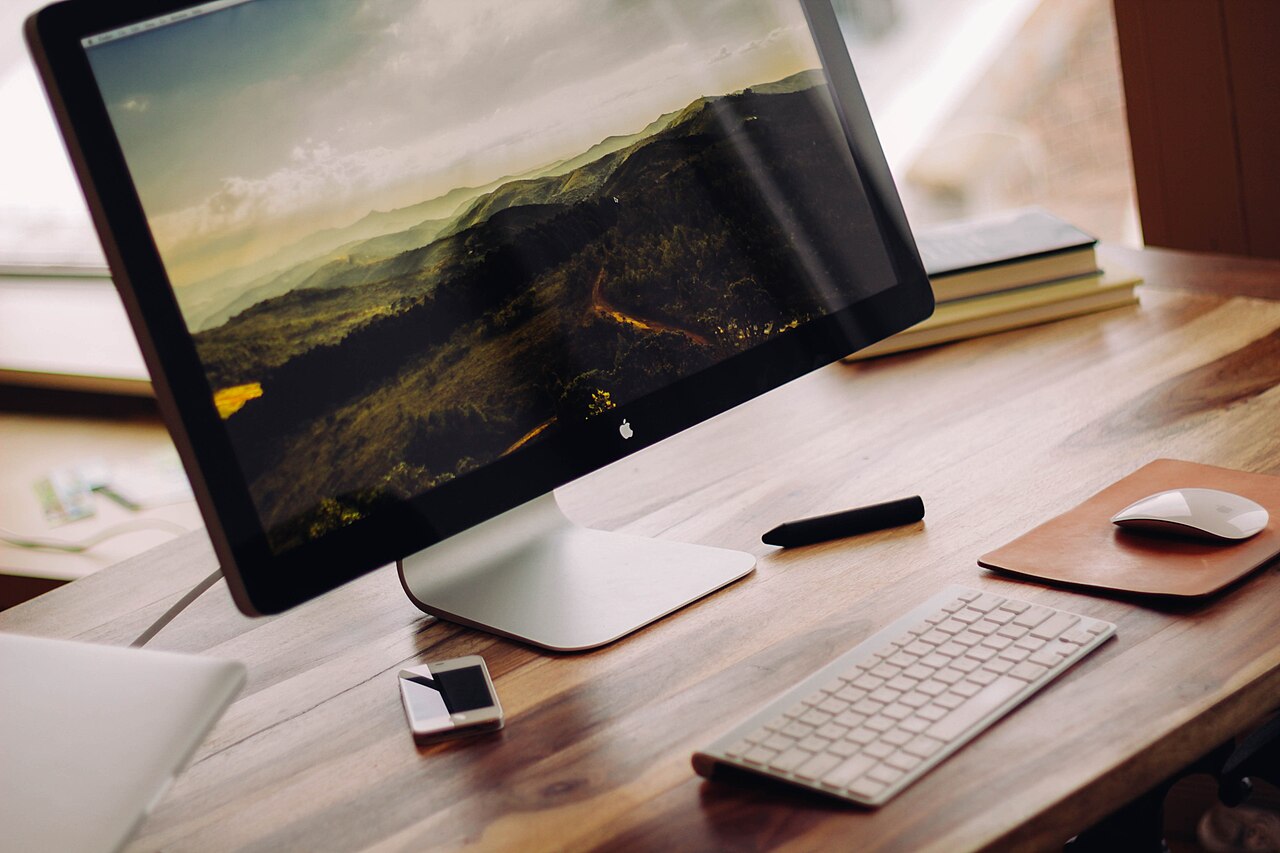
Most home office setup guides describe what a $3,000 studio looks like, then tell you to figure out the rest. This one is different. The entire setup below, monitor, desk, chair, lighting, webcam, and microphone, comes in under $500, with every item available on Amazon or AliExpress and every product chosen specifically for creators working with AI tools in 2026.
This is the setup that lets you record professional-looking video content, run AI tool sessions without straining your eyes, appear sharp in client calls, and work for 8 hours without your back complaining. It is not the aspirational setup. It is the one you can actually afford to build this month.
Quick answer: A complete under-$500 creator setup comes down to six pieces: an INNOCN 24" IPS monitor, an L-shaped IRONSTONE desk, an Hbada ergonomic chair, a ring light (or the Elgato Key Light Mini), a Logitech C920 webcam, and a budget USB condenser mic. Spend Amazon money on the chair, webcam, and monitor; save with AliExpress on lighting, mic, and cables. Total for the optimized mix: about $461.
The Guiding Principle: Buy Once, Buy Right
The most expensive home office mistake is buying cheap items twice. A $15 desk chair that destroys your posture in two months costs more than a $80 ergonomic option when you factor in replacement and the productivity hit. This guide identifies the items where spending a little more on Amazon makes sense, and the items where AliExpress alternatives are genuinely equivalent.
Rule of thumb used in this guide:
– Spend Amazon money on: items where quality differences are physically felt (chairs, desk surfaces, webcam)
– Consider AliExpress on: items where spec sheets tell the full story (cables, lights, stands, small accessories)
The Full Setup: Item by Item
1. Monitor: INNOCN 24-Inch 1080p IPS Monitor
A second monitor is the single highest-productivity upgrade for AI content work. Running Claude or ChatGPT on one screen while writing or editing on the other eliminates the constant alt-tab that disrupts flow.
The INNOCN 24C1F is a 24-inch IPS panel with 100% sRGB coverage, 75 Hz refresh rate, HDMI and DisplayPort inputs, and VESA mounting compatibility. It is one of the few sub-$150 monitors with a genuinely accurate IPS panel rather than a budget VA or TN screen masquerading as IPS.
For AI image review, checking Canva AI outputs, or reviewing generated thumbnails, the color accuracy matters. This monitor delivers it at a price that makes a dual-monitor setup realistic for most budgets.
Specs: 24″ IPS, 1920×1080, 75 Hz, 100% sRGB, HDMI + DP, VESA 100×100
AliExpress alternative: KTC 24-inch 1080p IPS Monitor, comparable sRGB coverage, includes both HDMI ports and a speaker, roughly $30-40 cheaper. Slower shipping and no Amazon return protection.
Buy KTC 24″ IPS Monitor on AliExpress
2. Desk: Mr. IRONSTONE 55-Inch L-Shaped Corner Desk
An L-shaped desk solves the single biggest home office space problem: where to put the second monitor without pushing the main monitor to the edge of a straight desk. The Mr. IRONSTONE L-shaped desk has a 55-inch wide surface on the main arm, a secondary surface for equipment or a secondary display, a carbon fiber texture surface that is easy to clean, and a monitor stand built into the desktop.
Assembly takes about 45-60 minutes. The steel frame is stable. For creators who record video content from their desk, the L-shape also creates natural framing, you can position the camera to capture the main monitor angle without the desk edge cutting the frame awkwardly.
AliExpress alternative: BOYATA L-Shaped Computer Desk, similar dimensions, comparable surface finish, screws and hardware included, ships in flat-pack. Noticeable quality step-down on the steel frame thickness but functional for most home office use.
Buy BOYATA L-Shaped Desk on AliExpress
3. Chair: Hbada Ergonomic Office Chair with Lumbar Support
Sitting for 6-8 hours running AI content sessions requires a chair that supports your lower back without forcing you into a rigid position. The Hbada ergonomic chair has a breathable mesh back, adjustable lumbar support, a reclining backrest up to 135 degrees, adjustable armrests, and a seat height range that covers most heights (5’1″ to 6’2″).
At around $130-150 on Amazon, this is the minimum investment recommended for any creator who works from a desk for more than 4 hours per day. Cheaper chairs at $50-80 lack real lumbar adjustment and the seat foam compresses permanently within a few months.
This is one of the items in this guide where AliExpress savings do not offset the quality risk. When your chair fails, your productivity fails with it.
Buy the Hbada Ergonomic Chair on Amazon
Note on AliExpress chairs: We recommend against sourcing chairs from AliExpress for daily use. The structural components, casters, gas cylinder, base, are difficult to evaluate from product photos and reviews, and a chair failure has obvious safety implications. Spend Amazon money here.
4. Lighting: Elgato Key Light Mini (Amazon) or Ring Light (AliExpress)
Good lighting is the single biggest visual quality upgrade for webcam video. A professional ring light or key light eliminates harsh shadows, reduces the blown-out background effect from windows, and makes your face look clearly lit and natural on camera, which matters for any AI-assisted video content where you appear on screen.
Premium pick: Elgato Key Light Mini, the Elgato is a professional LED panel with color temperature adjustment (2900K-7000K) and brightness control via an app. It mounts on any surface or desk arm and produces the clean, directional light that separates professional-looking webcam setups from amateur ones.
Budget pick (AliExpress): 18-Inch LED Ring Light with Tripod Stand, a ring light produces a slightly different (softer, more surrounding) quality of light compared to a panel. For webcam video, both work well. An 18-inch ring light from a reputable AliExpress seller with 4000-5500K color temperature costs $20-35 and delivers genuinely professional results.
Buy 18″ LED Ring Light with Tripod on AliExpress
Savings: ~$60-80 vs the Elgato option. For most creators, the ring light is the right call here.
5. Webcam: Logitech C920 HD Pro
The Logitech C920 remains the baseline recommendation for webcam video quality at under $80. It captures 1080p at 30 fps with a glass lens (not plastic), has a dual stereo microphone array for backup audio, and works immediately with every operating system and video platform without driver installation.
For AI-enhanced video workflows, content that will be processed through tools like Descript, Runway ML, or AI background replacement features in Zoom and Teams, the C920’s clean 1080p signal gives the AI model more accurate pixel data to work with compared to cheaper 720p webcams. If your room lighting is the weak point rather than the camera, the Razer Kiyo Pro is the usual step up, and the Logitech C920 vs Razer Kiyo Pro head to head lays out that tradeoff before you spend the extra.
AliExpress alternative: Angetube/Vitade 1080p USB webcams with autofocus range from $25-45 and perform acceptably for standard streaming and meeting use. The lens quality and low-light performance are noticeably behind the C920.
Buy Angetube 1080p Autofocus Webcam on AliExpress
6. Microphone: MAONO AU-A04 USB Condenser (AliExpress Budget Pick)
A dedicated cardioid condenser microphone eliminates the built-in laptop mic’s room reverb and background noise pickup. The MAONO AU-A04 is the best budget condenser available: it ships with a scissor arm, shock mount, pop filter, and cardioid capsule that outperforms the built-in mic on any laptop.
For creators running AI voice tools, Descript’s overdub, ElevenLabs, Adobe Podcast’s “Enhance Speech”, a clean microphone signal reduces the AI processing required and produces better output.
Buy MAONO AU-A04 USB Microphone on AliExpress
Amazon alternative: If you want Amazon purchase protection, the Blue Snowball iCE is around $50 and delivers clean cardioid audio with Prime shipping.
7. Cable Management: AliExpress Cable Tray + Velcro Ties
A professional-looking desk setup requires clean cable management. An under-desk cable tray ($8-15 on AliExpress) hides power bricks and cable runs from the camera frame. Velcro cable ties ($4-6 for a pack of 20) organize monitor, microphone, and webcam cables along the desk edge.
This is a 20-minute job that dramatically improves how your setup looks on camera and in video backgrounds.
Buy Under-Desk Cable Management Tray on AliExpress
Buy Velcro Cable Ties (20-pack) on AliExpress
Budget Breakdown Table
| Item | Amazon Option | Amazon Price | AliExpress Option | AliExpress Price | Recommended Source |
|---|---|---|---|---|---|
| Monitor (24″ IPS) | INNOCN 24C1F | ~$139 | KTC 24″ IPS | ~$99 | Amazon (returns matter) |
| Desk (L-shaped) | Mr. IRONSTONE 55″ | ~$129 | BOYATA L-Desk | ~$85 | Either |
| Chair (ergonomic) | Hbada Ergonomic | ~$139 | Not recommended | , | Amazon |
| Lighting | Elgato Key Light Mini | ~$79 | 18″ Ring Light w/ Tripod | ~$28 | AliExpress (great value) |
| Webcam | Logitech C920 | ~$69 | Angetube 1080p | ~$32 | Amazon ($37 saves quality risk) |
| Microphone | Blue Snowball iCE | ~$50 | MAONO AU-A04 | ~$45 | AliExpress (includes arm/mount) |
| Cable management | Under-desk tray + ties | ~$22 | Under-desk tray + ties | ~$12 | AliExpress |
Full setup, all Amazon: ~$627 (above $500 budget)
Full setup, optimized mix: ~$461 (within $500 budget)
Full setup, all AliExpress (excluding chair): ~$301 (maximum savings)
The optimized mix strategy (Amazon for chair, webcam, and monitor, AliExpress for lighting, microphone, and cable management) delivers the best balance of reliability and savings.
Go Deeper: The Full Category Guides
This guide gets you a complete setup fast. When you are ready to upgrade any single piece, these are the in-depth comparisons behind each category, each one breaks the top models down by specs, price, and value, so you can pick the exact upgrade that fits your work.
- Microphones: 7 Best Microphones for AI Podcasting and Content Creation
- Webcams: 8 Best Webcams for Content Creation and AI Meetings
- Lighting: Best Lighting for Content Creators: Key Lights and Ring Lights
- Monitors: Best Monitors for Content Creators
- Portable storage: Best Portable SSDs for Creators
- Stream decks: Best Stream Deck: Which Elgato Model to Buy
- Gimbals: Best Gimbals for Content Creators
- Audio interfaces: Best Audio Interfaces for Creators
- Laptops: Best Budget Laptops for AI Content Creators Under $500
The Upgrade Path: What to Add Next
Once your $500 setup is running, here is the upgrade sequence that delivers the most noticeable improvement per dollar spent:
Stage 2 upgrades ($500-$1000 total):
1. Upgrade microphone from budget USB condenser to Blue Yeti or Rode NT-USB Mini (~$99-129)
2. Add a monitor arm to free up desk surface and improve ergonomic positioning (~$30-40 on AliExpress)
3. Upgrade webcam to Logitech Brio 4K for 4K video recording (~$149)
Stage 3 upgrades ($1000-$1500 total):
1. Add acoustic panels or bass traps to your recording corner (~$40-80 on AliExpress for a starter set)
2. Upgrade to an XLR microphone + audio interface (Rode PodMic + Focusrite Scarlett Solo, ~$180-200)
3. Add a second dedicated monitor for true dual-screen AI workflow (~$139 for another INNOCN)
Stage 4 (professional studio, $1500+):
– Professional key light + fill light setup (Elgato Key Light + backlight)
– Standing desk with motorized height adjustment
– Acoustic treatment panels on the wall behind the camera
Most AI content creators plateau at Stage 2 and find it more than sufficient for their output quality goals.
Setting Up Your Space for On-Camera AI Content
If you record video content, tutorials about AI tools, content creator reviews, YouTube videos, the physical arrangement of your setup matters as much as the equipment:
Camera position: Place the webcam at eye level, not looking up at you from a laptop. Use a stack of books or a webcam stand so the camera lens is at the same height as your eyes when you are sitting straight.
Light position: The key light (ring light or panel) should be in front of you, slightly to one side. Never behind your screen, that creates a silhouette effect. Position it about 45 degrees to your face, 2-3 feet away.
Background: The area visible behind you should be clean, relevant, or deliberately neutral. A bookshelf, a blank wall with a simple print, or a dedicated green screen all work. Avoid windows directly behind you, they create exposure problems even good webcams cannot fully correct.
Microphone position: Place the cardioid mic 4-8 inches from your mouth, positioned slightly off to the side rather than directly in front of the camera. This keeps the mic out of the camera frame while maintaining close-field pickup.
AliExpress Buying Guide for Home Office Items
When ordering home office equipment from AliExpress, these seller quality signals matter:
- Seller rating: 4.7 stars or above, with at least 1,000 completed orders on the store
- Product reviews with photos: Text-only reviews are easy to fake; photo reviews showing the product assembled in real spaces are more reliable
- Shipping method: AliExpress Standard Shipping or AliExpress Premium Shipping is tracked. “Postal Service” options are slower and harder to trace
- Return policy: Most reputable AliExpress sellers offer 15-day return windows. Check this before purchasing items over $40
- Brand consistency: Branded items (MAONO, Fifine, Elgato’s AliExpress storefronts) from official brand stores on AliExpress are the same products sold in their own webshops, manufacturer quality without the premium
Frequently Asked Questions
Q: Can I build this setup for under $300?
A: Yes, if you use a laptop that already functions as your main screen and skip the second monitor. Desk ($85 AliExpress) + Ring Light ($28 AliExpress) + MAONO Mic ($45 AliExpress) + Angetube Webcam ($32 AliExpress) + Cable management ($12 AliExpress) = ~$202. Add the monitor when budget allows.
Q: Do I need a dedicated desk for AI content creation or will any table work?
A: Any stable, level surface works for AI tool work. The desk recommendation is primarily about camera framing, cable management, and ergonomic monitor positioning. A dining table can work temporarily; it becomes uncomfortable for daily use over time due to height and space constraints.
Q: Is the Elgato Key Light worth the price over a ring light?
A: For stationary desk setups, the Key Light’s app control and directional panel light is noticeably more professional. For creators on a tight budget, an 18-inch ring light delivers 80% of the visual result for a fraction of the cost. Start with the ring light.
Q: How long does AliExpress shipping take to the US and UK?
A: AliExpress Standard Shipping to the US: 7-15 business days. AliExpress Premium Shipping: 5-10 business days. EU: similar timelines. Australia: 10-20 business days. Always plan for the longer end of the estimate.
Final Recommendation
Build this setup in priority order based on your current limitations:
- Chair first, if you are sitting on a dining chair or cheap stool, fix that before anything else
- Lighting second, the fastest visual upgrade for anyone appearing on camera
- Microphone third, for anyone doing voiceovers, podcasting, or AI voice work
- Webcam fourth, meaningful upgrade from built-in laptop cam for video content
- Monitor last, highest cost, highest productivity impact, worth waiting to buy the right one
The $500 home office is not a compromise. Every item in this guide was chosen because it performs well enough to not be a bottleneck in your AI content workflow. Start here, upgrade selectively, and invest the savings into the tools and skills that grow your audience.
Affiliate disclosure: This article contains affiliate links to Amazon and AliExpress. If you purchase through these links, we may earn a commission at no extra cost to you. All recommendations are based on product research, published specs, and independent reviews.