Last updated: May 2026 | By the Content Creator Lab team
All picks at a glance
| # | Product | Category | Price | |
|---|---|---|---|---|
| 1 | Logitech C920TOP PICK Logitech | Webcam | $49-$79 | View → |
| 2 | Logitech Brio 4K#2 Logitech | Webcam | $149-$199 | View → |
| 3 | Razer Kiyo Pro Razer | Webcam | $129-$199 | View → The Razer Kiyo Pro has been discontinued, so this link now goes to Razer Kiyo V2 instead. |
| 4 | Elgato Facecam Elgato | Webcam | $149-$199 | View → |
| 5 | Microsoft Modern Webcam Microsoft | Webcam | $49-$69 | View → |
| 6 | Angetube 4K Webcam Angetube | Webcam | $49-$79 | View → |
Prices verified hands-on. Updated regularly. Tap any product to check current Amazon price.
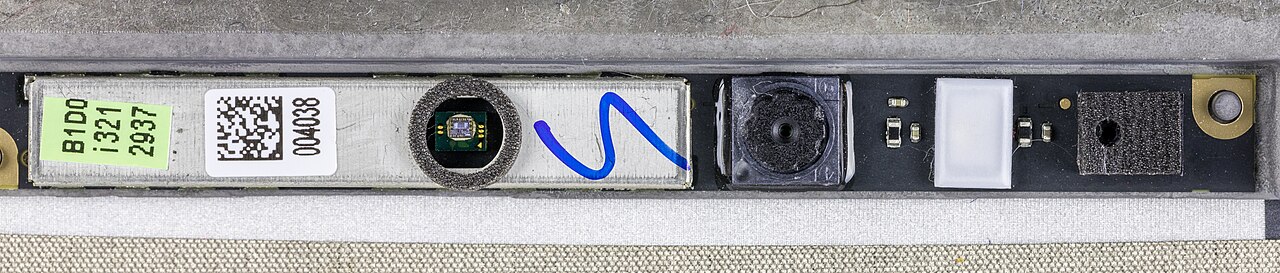
Your webcam is the first thing people judge you on. Before you speak a word in a Zoom meeting, a YouTube video, or a live stream, the video quality communicates something about how seriously you take your work. A crisp, well-lit 1080p or 4K feed says professional. A blurry, dark, pixelated image says you bought the cheapest option available in 2018 and never thought about it again.
For AI content creators in 2026, the webcam has also become an input device for AI tools, Zoom AI Companion, Microsoft Teams AI, Google Meet’s AI background replacement, and OBS AI scene detection all depend on a clean video signal to function properly. A better camera gives these tools more accurate pixel data to work with.
This guide covers eight webcams across every price range, with Amazon links for premium options and AliExpress alternatives for budget-conscious creators.
4K vs 1080p: What Actually Matters for Your Use Case
The short answer: 4K matters for recorded content and on-demand video. 1080p is almost always sufficient for live video calls.
The longer answer:
Most video conferencing platforms (Zoom, Teams, Google Meet) cap resolution at 1080p, often at 720p unless you have a paid business plan. Streaming platforms (Twitch, YouTube Live) have recommended bitrates that make 4K streaming impractical for most home internet connections. Where 4K genuinely shines:
- Recorded video content, YouTube videos, course recordings, tutorials. A 4K source file gives you cropping and reframing flexibility in post-production without quality loss.
- AI model training, ElevenLabs and similar voice cloning tools benefit from 4K source video if you are generating a video avatar of yourself.
- Future-proofing, 4K monitors and 4K streaming are both becoming more mainstream. A 4K webcam today will still be current in 2-3 years; a 1080p webcam bought in 2026 may feel dated by 2028.
For most creators running AI meetings and recording standard content, a high-quality 1080p webcam is the better investment over a mediocre 4K option. Sensor quality, low-light performance, and autofocus speed matter more than raw resolution at the same price point.
The 8 Best Webcams for Content Creation
1. Logitech C920 HD Pro: Best Value 1080p Webcam
The C920 is the standard against which every other mid-range webcam is measured. It captures 1080p at 30 fps using a glass lens (not plastic, this matters for sharpness), includes dual built-in stereo microphones, and works with every platform without custom drivers. The C920 has been updated several times since its original release; the current version includes improved low-light processing and a revised autofocus mechanism.
For AI content creators who primarily appear in meetings, webinars, and YouTube videos, the C920 hits the right balance of price and quality. The glass lens produces noticeably sharper images than plastic-lens competitors in the same price range. If you are weighing it against the pricier Razer Kiyo Pro, our full Logitech C920 vs Razer Kiyo Pro comparison covers where the extra spend actually shows up.
Specs:
– Resolution: 1080p at 30 fps
– Lens: Glass, f/2.0 aperture
– Field of view: 78 degrees
– Autofocus: Yes
– Built-in mic: Dual stereo
– Connection: USB-A
Best for: Zoom, Google Meet, Teams, YouTube content, beginner to intermediate creators
**
2. Logitech Brio 4K: Best 4K Webcam for Professional Content
The Logitech Brio is one of the few webcams where the 4K claim is genuine and delivers visible results. It uses a 4K UHD sensor (3840×2160 at 30 fps), supports HDR video capture, offers three field-of-view options (65°, 78°, 90°), and includes a built-in IR emitter for Windows Hello facial recognition.
The Brio’s low-light performance is significantly better than the C920, the f/2.0 aperture and Sony sensor handle dimly lit home office environments without the grainy, muddy image that cheaper webcams produce. For creators recording tutorials, course videos, or YouTube content where they appear on camera, the Brio delivers a genuinely professional image.
Specs:
– Resolution: 4K at 30 fps, 1080p at 60 fps
– Lens: Glass, f/2.0 aperture
– Field of view: 65°, 78°, or 90° (adjustable)
– Autofocus: Yes, with RightLight 3 HDR
– HDR: Yes
– Windows Hello: Yes (IR emitter)
– Connection: USB-A (adapter included for USB-C)
Best for: YouTube creators, course instructors, professional video content, Windows Hello users
**
3. Razer Kiyo Pro: Best for Streamers and Low-Light Performance
The Razer Kiyo Pro does one thing better than every other webcam at its price point: it performs in low light. The Sony STARVIS sensor is designed for surveillance and security cameras, applications where capturing usable footage in near-darkness is the primary requirement. In a home office with imperfect lighting, the Kiyo Pro produces a cleaner, less noisy image than competitors with similar specs on paper.
The adaptive light sensor (ALS) automatically adjusts exposure based on ambient lighting conditions, which is useful for creators who work across different lighting scenarios throughout the day. The field of view can be set to 103°, 90°, or 80° depending on your framing preference.
Specs:
– Resolution: 1080p at 60 fps, 720p at 60/120 fps
– Sensor: Sony STARVIS CMOS (1/2.8″)
– Field of view: 103°, 90°, or 80° (adjustable)
– Adaptive light sensor: Yes
– Autofocus: Yes
– HDR: Yes
– Connection: USB-C
Best for: Streamers, creators with inconsistent room lighting, anyone who streams or records without dedicated lighting
**
4. Elgato Facecam: Best for OBS and Streaming Workflows
The Elgato Facecam was designed from the ground up for streamers who use OBS, XSplit, or similar software. It captures 1080p at 60 fps using a Sony sensor with a fixed-focus glass lens, has no autofocus (which eliminates focus hunting during streams), and integrates directly with Elgato’s 4K Capture Utility for advanced control.
The fixed focus sounds like a limitation, but for desk-based streaming where you sit at a consistent distance from the camera, it means perfectly sharp video every session without the slight blur that happens when autofocus systems hunt and re-lock. Every professional broadcast setup uses fixed focus for exactly this reason.
Specs:
– Resolution: 1080p at 60 fps
– Lens: Fixed focus glass lens, f/2.4
– Field of view: 82 degrees
– Autofocus: No (fixed focus, precision engineered)
– HDR: No
– Connection: USB-C
Best for: OBS streamers, Twitch and YouTube Live creators, anyone with a fixed desk-to-camera distance
**
5. Microsoft Modern Webcam: Best for Microsoft 365 and AI Copilot Users
Microsoft designed the Modern Webcam specifically for Teams and Microsoft 365 integration. It captures 1080p at 30 fps, includes TrueColor certified color processing, and works with Teams AI features, background blur, together mode, and Microsoft Copilot’s meeting intelligence features, with optimized driver integration that reduces setup friction.
If your primary AI workflow involves Microsoft Copilot, Teams meetings, and the Microsoft 365 ecosystem, the native software integration of the Microsoft webcam reduces configuration overhead compared to third-party options.
Specs:
– Resolution: 1080p at 30 fps
– Lens: Glass, f/2.0
– Field of view: 78 degrees
– TrueColor processing: Yes
– Privacy shutter: Yes
– Connection: USB-C
Best for: Microsoft 365 power users, Teams-heavy workflows, Microsoft Copilot AI meeting features
**
6. Angetube 4K Autofocus Webcam: Best Budget 4K Option
The Angetube 4K is the most credible budget 4K webcam on the market. It captures genuine 4K video, includes autofocus, and ships with a privacy cover. The image quality is not comparable to the Logitech Brio, the sensor and lens are both in a different tier, but for creators who need to record in 4K for cropping flexibility and are not yet ready to invest in the Brio, it is a legitimate step up from 1080p.
The built-in dual microphone array is better than expected for the price, though still not a replacement for a dedicated microphone.
Specs:
– Resolution: 4K at 30 fps, 1080p at 60 fps
– Autofocus: Yes
– Field of view: 90 degrees
– Built-in mic: Dual array
– Privacy shutter: Yes
– Connection: USB
Best for: Budget 4K recording, creators who prioritize resolution over overall image quality, recording-first (not streaming-first) workflows
**
7. Vitade 960A Pro: Best AliExpress Budget 1080p Webcam
The Vitade 960A Pro is available on both Amazon and AliExpress, with the AliExpress listing typically running $15-25 cheaper. It captures 1080p at 30 fps, has autofocus, a 90-degree field of view, and includes a built-in ring fill light around the lens, useful for creators without a dedicated lighting setup.
The lens fill light is subtle, not a replacement for a proper ring light, but it meaningfully improves face exposure in dimly lit rooms compared to a no-light alternative.
**Buy Vitade 960A Pro on AliExpress
8. Generic 1080p USB Webcam with Ring Light (AliExpress Ultra-Budget)
For creators who primarily use AI background replacement (Teams, Zoom) and do not appear without a virtual background, an ultra-budget 1080p webcam from a reputable AliExpress seller provides sufficient input quality for the AI background model to work accurately.
Look for: 1080p, autofocus, 90-degree FOV, USB connection. Filter to sellers with 4.7+ stars and 500+ reviews. Expected price: $12-22.
**Shop Budget 1080p Webcams on AliExpress
Webcam Specs Comparison Table
| Webcam | Resolution | Frame Rate | Lens | Low-Light | 4K | Price Est. | Best For |
|---|---|---|---|---|---|---|---|
| Logitech C920 | 1080p | 30 fps | Glass | Good | No | ~$69 | Best all-around value |
| Logitech Brio 4K | 4K / 1080p | 30 / 60 fps | Glass + HDR | Excellent | Yes | ~$149 | Professional recording |
| Razer Kiyo Pro | 1080p | 60 fps | Sony STARVIS | Excellent | No | ~$99 | Low-light, streaming |
| Elgato Facecam | 1080p | 60 fps | Fixed glass | Very good | No | ~$99 | OBS streamers |
| Microsoft Modern | 1080p | 30 fps | Glass | Good | No | ~$79 | Teams/Copilot users |
| Angetube 4K | 4K / 1080p | 30 / 60 fps | Plastic | Adequate | Yes | ~$59 | Budget 4K |
| Vitade 960A Pro | 1080p | 30 fps | Plastic + light | Adequate | No | ~$28 AliExpress | Budget w/ fill light |
| Generic AliExpress | 1080p | 30 fps | Plastic | Minimal | No | ~$12-22 | Ultra-budget |
4K vs 1080p: Side-by-Side Comparison
| Feature | 4K (3840×2160) | 1080p (1920×1080) |
|---|---|---|
| Recorded video quality | Noticeably sharper, allows 2x digital zoom in post | Standard quality, no reframe headroom |
| Live streaming quality | Overkill (platforms compress to 1080p) | Sufficient for all platforms |
| Video conferencing quality | Platform caps at 1080p anyway | Sufficient for all platforms |
| Low-light performance | Sensor size matters more than resolution | Same limitation |
| Storage requirement | ~4x larger files | Standard file sizes |
| AI background replacement | Marginally better for AI models | More than sufficient |
| Price premium | 2-3x the price of comparable 1080p | Lower cost entry point |
| Best for | Recorded tutorials, YouTube, course content | Meetings, streaming, most video content |
Bottom line: Buy 4K if you are recording video content for YouTube or courses and want post-production flexibility. Buy a high-quality 1080p if you primarily do live video calls and streaming, the quality ceiling of the platform makes 4K irrelevant in those contexts.
Best Webcam for Different Budgets
Under $30 (AliExpress): Vitade 960A Pro, includes built-in fill light, 1080p autofocus, adequate for meetings and AI background tools
Under $70 (Amazon): Logitech C920, the reliable benchmark; glass lens, stereo mic, works with everything
Under $100 (Amazon): Razer Kiyo Pro or Elgato Facecam, choose based on whether you prioritize low-light performance (Kiyo Pro) or streaming/OBS integration (Facecam)
Under $150 (Amazon): Logitech Brio 4K, the step up that makes a visible difference for recorded content
Best for Microsoft users: Microsoft Modern Webcam (~$79), native Teams and Copilot integration reduces setup friction
AI Meetings: What Your Webcam Affects
When AI tools like Zoom AI Companion, Microsoft Copilot, or Google Meet’s AI features process your video feed, webcam quality affects:
- Background replacement accuracy, Lower resolution and lower frame rates produce more “halo” artifacts around hair and shoulders in AI-replaced backgrounds. The C920 and above eliminate most of this at 1080p.
- Gesture detection, Some AI tools (Teams reactions, Zoom gesture controls) use computer vision to detect hand signals. 720p or lower resolution degrades this accuracy.
- Face tracking for auto-framing, Tools like OBS’s Smart Scene features and Zoom’s auto-pan use face detection. A sharper source image means more accurate tracking.
- AI noise cancellation, The better your webcam’s built-in microphone (C920’s dual stereo), the better AI noise cancellation tools have to work with. But for serious use, a dedicated microphone always wins.
Webcam Setup Tips for AI Content Creators
Positioning: Webcam at eye level, not below screen height. Place it above your monitor or on a dedicated stand at eye height. Looking slightly up into a camera positioned below desk level is unflattering and projects a wrong authority dynamic on camera.
Distance: 2-3 feet from face is the standard. Too close and the webcam’s wide-angle lens distorts facial features. Too far and you lose the presence that makes video content engaging.
Lighting first, webcam second: A $30 ring light makes a $69 C920 look better than a $149 Brio in bad lighting. Fix your lighting before upgrading your camera.
Privacy shutter habit: Develop the habit of closing the privacy shutter (or unplugging) when not in use. Microsoft Modern Webcam and several others include a built-in shutter. For webcams without one, a physical privacy cover ($3-5 on AliExpress) is worth adding.
AliExpress vs Amazon: Webcam Risk Assessment
Webcams are one category where the Amazon/AliExpress decision requires thought. The risk profile:
Higher risk on AliExpress (buy Amazon):
– Webcams claiming 4K at very low prices (under $25), sensor claims frequently do not match reality
– Webcams with unusual brand names and minimal review history
– Webcams for professional use where a quality miss costs you a client impression
Lower risk on AliExpress (worth considering):
– Established brands (Vitade, Angetube, Ausdom) with 4.7+ star ratings and 1000+ reviews
– 1080p specs, easier to verify from user review photos and videos
– Secondary or backup webcams where you can tolerate some quality variance
Frequently Asked Questions
Q: Is the Logitech Brio 4K worth the price over the C920?
A: For recorded YouTube content and course videos where you appear on camera, yes, the image quality difference is visible. For video calls and live streaming where the platform caps your resolution, the C920 is sufficient and the $80 price gap is better spent elsewhere (better lighting, for example).
Q: Can I use my phone as a webcam instead of buying a dedicated one?
A: Yes, apps like DroidCam, Camo, and EpocCam let you use your phone camera as a webcam. Modern phone cameras at 1080p outperform most sub-$100 dedicated webcams in image quality. The tradeoff is convenience: phone-as-webcam requires a stand, a cable or Wi-Fi connection, and a charging cable if you record for long sessions.
Q: What resolution webcam do I need for AI background replacement?
A: 1080p is sufficient for all major AI background replacement tools (Zoom, Teams, Google Meet). The AI models are trained on 1080p footage. Going to 4K does not meaningfully improve background replacement quality.
Q: Does webcam quality matter for AI voice cloning?
A: No, webcam video quality is irrelevant for audio-only voice cloning tools like ElevenLabs. What matters for those workflows is microphone quality.
Final Recommendation
- Starting out, AliExpress budget: Vitade 960A Pro (~$28), includes fill light, handles meetings and basic content
- First real upgrade, Amazon: Logitech C920 (~$69), the proven baseline for professional video presence
- Streaming and low-light focus: Razer Kiyo Pro (~$99), Sony sensor makes a visible difference in difficult lighting
- OBS and streaming workflows: Elgato Facecam (~$99), purpose-built for the job
- Recording-first, maximum quality: Logitech Brio 4K (~$149), the investment that shows on screen
Your webcam is one of the rare pieces of gear where upgrading produces immediate, visible results. The jump from built-in laptop camera to C920 is dramatic. The jump from C920 to Brio 4K is meaningful for recorded content. Go step by step and invest in lighting at every stage, it matters more than the camera itself.
Affiliate disclosure: This article contains affiliate links to Amazon and AliExpress. If you purchase through these links, we may earn a commission at no extra cost to you. All recommendations are based on product research and performance evaluation.
Head-to-head webcam comparisons
Torn between two of our picks? These hands-on, spec-by-spec comparisons settle the most common webcam matchups: